- Ruby 1.9.2-p290
- Rails 3.1.1
- Bundler 1.0.18
- Git 1.7.6
- Sqlite 3.7.3
- TinyTDS 0.4.5
- SQL Server support 3.3.3
- DevKit
How to Install Ruby on Rail on Windows
on Wednesday, December 21, 2011
Get ready to install ruby and rail. Lot of work to do. It will be painful. Oh no! I was just kidding. If you want to install ruby on rail on windows then its really easy. Just one click is needed if you user rail installer. Just a package around 50mb. You get :

Faster than light ?
on Friday, September 23, 2011
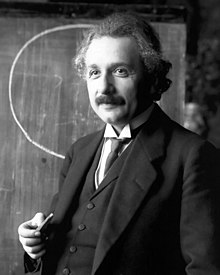 |
| Photo: wikipedia |
 | ||||
| The neutrinos are fired deep under the Italian Apennines at Gran Sasso. Photo - BBC |
How to install Pythia 8 and Fastjet on Linux
on Sunday, June 12, 2011
This is a tutorial about how to install Pythia 8 and Fastjet. After that i have explained two methods to link pythia8 to fastjet. I have tried to keep it simple and easy so that first time linux users can also understand it.
First of all you need to install g++ if you don't have yet.
For Ubuntu, Debian, Mint :
For Redhat, Scientific Linux, Fedora:
You can also install that using source file or rpm.
Now we will install Pythia8 and Fastjet.
Pythia 8 :
1. Download the file
2. Now to extract it open your terminal. Move to the directory where you have placed the
After moving to that directory excract that file with
First of all you need to install g++ if you don't have yet.
For Ubuntu, Debian, Mint :
sudo apt-get install g++
For Redhat, Scientific Linux, Fedora:
yum install g++
You can also install that using source file or rpm.
Now we will install Pythia8 and Fastjet.
Pythia 8 :
1. Download the file
pythia8150.tgz (or pythia81xx.tgz) to a suitable location from its website .2. Now to extract it open your terminal. Move to the directory where you have placed the
pythia81xx.tgz after downloading. If you have placed that in your "software" (/home/username/software/ ) folder, then you can do this by :
cd software
After moving to that directory excract that file with
tar xvfz pythia8150.tgz
Then it will create a directory. Now move to the directory by the command
Now type these commands (and press enter) step by step:
You have installed Pythia8 !
Fastjet
At first visit Fastjet website and download the source file which looks like " fastjet-x.x.x.tar.gz " where x.x.x represents version number. Now follow the earlier steps to like Pythia8 to extract the source file. Rename it as "fastjet". Now move into the folder fastjet. The type the following commands(and press enter) step by step.
You have installed fastjet !
Linking Pythia 8 to Fastjet :
Open your holy terminal once again. Move to the Pythia directory as you did earlier. Now move to the directory " examples " with command " cd examples". Then type the command and hit enter:
Generaly the directory path is like : /home/username/something-or-not/fastjet/
If its successful then in terminal you will see something like " found fastjet version 2.4.3 " .
Done ! Now, from you from your pythia directory open pythia worksheet (a pdf file ) and it will guide you to the compilation process. But if you follow this process you may have to keep your source file in the examples folder and in the terminal you need to move to the "examples" directory with "cd" command to run and compile those programs. But there is another way. Check out the method below.
MakeFile :
If you want to keep your cpp source files, compile and run from some other folders then you need a Makefile in the directory where you want to compile and run. Download the file below .
Makefile
Then follow the three steps below.
1. Change the value of PYTHIADIR and FASTJETDIR . Set your own directory path of pythia and fastjet.
2. At the end of the file you will find a code
Replace those red colored names with your source file's name.
3. In your source file instead of " Pythia pythia; " you need to type
Pythia pythia("/home/mushfiq/collider/pythia8150/xmldoc") ;
You need to change the red colored path as your own.
Now from the terminal move to the directory where you have placed the source file (say jet.cc) and the Makefile. Now type "make" and hit enter. Done ! To get the output of jet.cc we can use :
Now output is saved in jet.out . You can click on the file to open or simply type in terminal "gedit jet.out " and hit enter. BTW, if you use this method with Makefile then you don't even need to link pythia to fastjet with ./configure --with-blah-blah ... !
Ahh! We are done !
N.B. I am not an expert of these stuffs. There may be better ways. But this is just how i fixed mine.
cd pythia8150
Now type these commands (and press enter) step by step:
./configure
make
You have installed Pythia8 !
Fastjet
At first visit Fastjet website and download the source file which looks like " fastjet-x.x.x.tar.gz " where x.x.x represents version number. Now follow the earlier steps to like Pythia8 to extract the source file. Rename it as "fastjet". Now move into the folder fastjet. The type the following commands(and press enter) step by step.
./configure
make
make install
You have installed fastjet !
Linking Pythia 8 to Fastjet :
Open your holy terminal once again. Move to the Pythia directory as you did earlier. Now move to the directory " examples " with command " cd examples". Then type the command and hit enter:
./configure --with-fastjet=/your-fastjet-directory-path/
Generaly the directory path is like : /home/username/something-or-not/fastjet/
If its successful then in terminal you will see something like " found fastjet version 2.4.3 " .
Done ! Now, from you from your pythia directory open pythia worksheet (a pdf file ) and it will guide you to the compilation process. But if you follow this process you may have to keep your source file in the examples folder and in the terminal you need to move to the "examples" directory with "cd" command to run and compile those programs. But there is another way. Check out the method below.
MakeFile :
If you want to keep your cpp source files, compile and run from some other folders then you need a Makefile in the directory where you want to compile and run. Download the file below .
Makefile
Then follow the three steps below.
1. Change the value of PYTHIADIR and FASTJETDIR . Set your own directory path of pythia and fastjet.
2. At the end of the file you will find a code
g++ -o jet jet.cc
Replace those red colored names with your source file's name.
3. In your source file instead of " Pythia pythia; " you need to type
Pythia pythia("/home/mushfiq/collider/pythia8150/xmldoc") ;
You need to change the red colored path as your own.
Now from the terminal move to the directory where you have placed the source file (say jet.cc) and the Makefile. Now type "make" and hit enter. Done ! To get the output of jet.cc we can use :
./jet > jet.out
Now output is saved in jet.out . You can click on the file to open or simply type in terminal "gedit jet.out " and hit enter. BTW, if you use this method with Makefile then you don't even need to link pythia to fastjet with ./configure --with-blah-blah ... !
Ahh! We are done !
N.B. I am not an expert of these stuffs. There may be better ways. But this is just how i fixed mine.
Accepted !!!
on Monday, May 9, 2011
A good news! I have been accepted in Theoretical Physics Department masters program. I wrote a post earlier where i said about my low possibility of getting accepted. But i have been accepted. So i am happy!

GRE words suck!
on Thursday, April 28, 2011
Its really hard to memorize GRE words. I have one month left before the test and i am reading those freaking words and forgetting. More important thing is the more i read words the more my brain becomes lazy and it seems i am turning into a thicko. It does not seem to work well. I hope and pray that this shitty GRE will go well. Next few weeks will be really stressful !
It's Time To Fix Up Broken Dreams
on Saturday, April 23, 2011

The story is, i was too crazy. I hardly cared about courses and exams and now paying up for that mistake. I realized about that in the middle of my undergraduate studies and then worked on that problem. But could not recover totally. Just fell short of the targeted GPA. So i may even miss the opportunity to get into the Masters program of Theoretical Physics department at University of Dhaka. I really wanted to get into that Department. This year there is a good competition going on there.
So its hard time for me. But i have not prostrated myself with frustration. Because the game is not over yet. Still there are ways to reach my goal or dream whatever you say. Right now i have to do good in the GRE exams. That's the first and most important task now. A good score should fix up my broken dreams quite well.
These twists are the interesting moments of life. These makes life challenging and alive. Remember one thing, if you really want to achieve something in life then don't be crazy, work in a systemic way and try not to go against the system. Accept it and work hard. Cheers!
Update 9/5/2011: I have been accepted in that masters program.
Result or Re-assault ?
on Sunday, April 10, 2011
It comes every year in yearly system, every few months in semester system. It can take away your breath, disturb in your sleep! Its the result of your exam . Actually an assault that every student faces (excluding course-worms/geniuses). After that assault we swear to defend it next time by taking better preparation and strategy. The greatest lesson of history is nobody takes lesson from history. Same thing happens here. We forget in the middle and get assaulted again. Even if we are prepared , somehow we get assaulted by some commando attack ( Questions/Marks from hell ). This Re-assault has become my fate and if you agree i can say our fate ! Now i am getting ready to taste the next one! Ooops!


Read It Later
on Saturday, April 2, 2011
Found an addon today. Its name is Read it later. You just save your pages with just a click in the address bar and read them when you have time. Really nice and useful addon. Just added it to my firefox 4 . Its available for other popular browsers also.
Website : readitlaterlist.com
Website : readitlaterlist.com
T-R-A-N-S-I-T-I-O-N : Transition Sucks!
on Thursday, March 31, 2011
Any kind of transition in life is not easy. Whether its for a boy who is growing up or a man or for a Nag - Nagini . In a lot of old movies we have seen when there was full moon their skins were changed and that was very painful is for nag - nagini . But after that they used to go back to their own life which was full of fun ! For example , here is a nagini - Mallika Sherawat . Look in her eyes! See, how much happy she is:

Ok leave it! You and i both would be happier if i could post more Nagini pictures like this but Nagini is not the topic of this post. The topic is transition. I have just finished undergraduate study in physics. Preparing for GRE . Actually not preparation. Because i am not studying at all. Lot of plans come in my mind. My mind is relentless . Thats why this is the name of my blog. I have blogged earlier but never personal blog. This is the first time. I know personal blogs do not get much traffic. So its a kind of personal diary.... and the topic of the post is transition.. hmmm...
So its a transition period in life. Quite hard time. You see people around you to do a lot of things and some already get good jobs. But i am getting ready for exams and applications. So tension / pressure piles up by thinking whats gonna happen next. Sometimes It feels like scoring at a rate behind the required run rate in cricket in last few overs. All you need to do is to hold your nerve, stay calm and work. That's why transition sucks! oh! i am writing too much boring stuffs. Let see an interesting stuff. Its called Terrafugia Transition. Its the first flying car!


Website : www.terrafugia.com
That car looks really awesome (when its flying). I will like to have one !
So... Transition does not suck always !
Ok leave it! You and i both would be happier if i could post more Nagini pictures like this but Nagini is not the topic of this post. The topic is transition. I have just finished undergraduate study in physics. Preparing for GRE . Actually not preparation. Because i am not studying at all. Lot of plans come in my mind. My mind is relentless . Thats why this is the name of my blog. I have blogged earlier but never personal blog. This is the first time. I know personal blogs do not get much traffic. So its a kind of personal diary.... and the topic of the post is transition.. hmmm...
So its a transition period in life. Quite hard time. You see people around you to do a lot of things and some already get good jobs. But i am getting ready for exams and applications. So tension / pressure piles up by thinking whats gonna happen next. Sometimes It feels like scoring at a rate behind the required run rate in cricket in last few overs. All you need to do is to hold your nerve, stay calm and work. That's why transition sucks! oh! i am writing too much boring stuffs. Let see an interesting stuff. Its called Terrafugia Transition. Its the first flying car!


Website : www.terrafugia.com
That car looks really awesome (when its flying). I will like to have one !
So... Transition does not suck always !
Subscribe to:
Posts (Atom)


